Touch billing
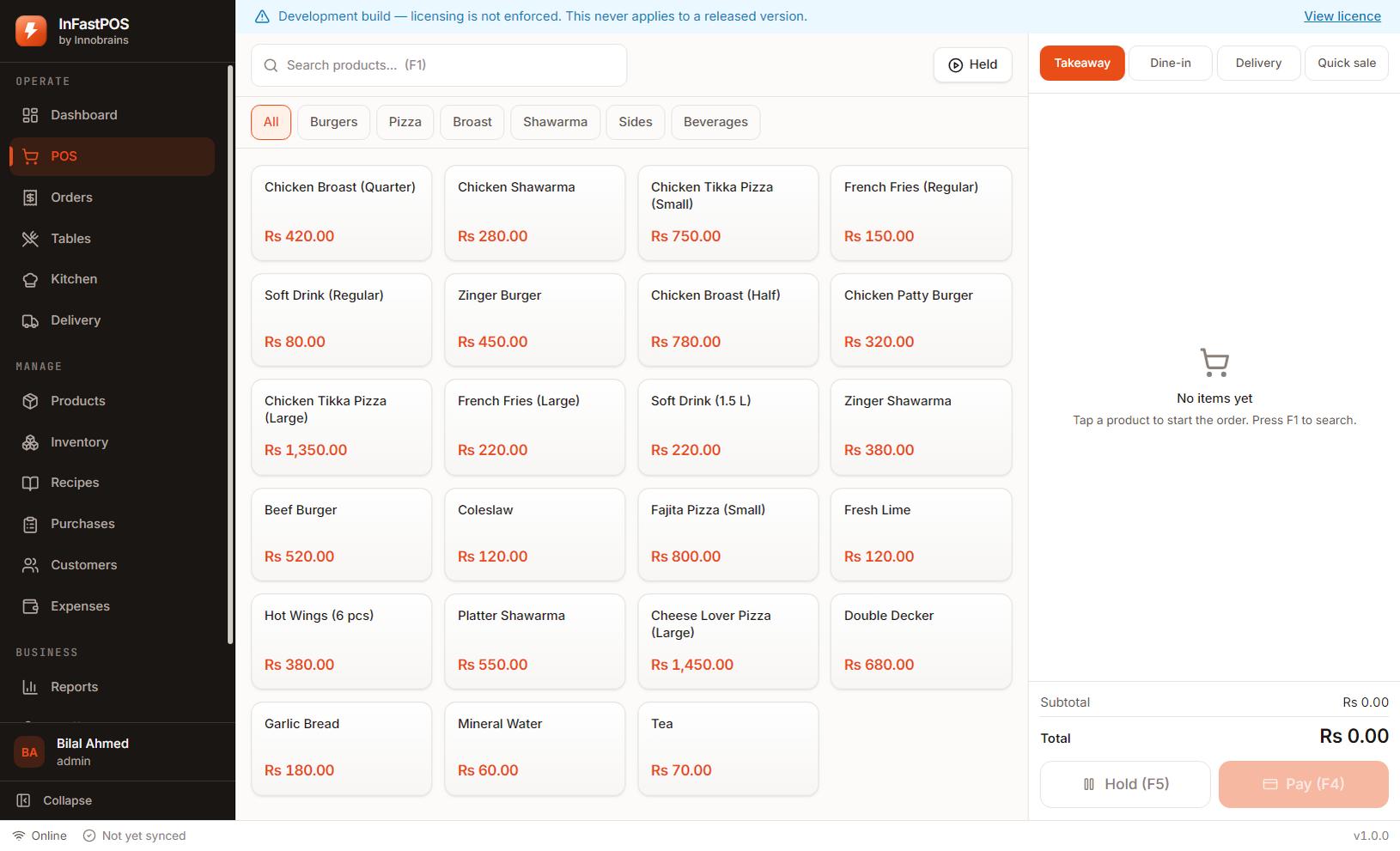
Dine-in, takeaway, delivery and quick sale. Add-ons, variants, split payments and change, all on a grid a new cashier can learn in a shift.
InFastPOS runs entirely on the computer in your shop. Billing, the kitchen screen, stock and reports work at full speed with the connection down — because a queue at the counter does not wait for a router to reboot.
Windows 10 and 11 · version 1.0.0
Cloud tills are fine until the fibre is cut, the DSL drops at 8pm, or the shop moves to a backup connection that cannot reach the server. Then the queue is real and the software is not.
Every order, product, recipe and report lives in a file on the shop’s own machine. Nothing is fetched to render a screen, so nothing can be slow to arrive.
When a connection is available, completed orders upload on their own. When it is not, they queue. Either way the sale was already recorded and the receipt already printed.
It stops new sales being recorded. Reports, exports and backups keep working, because your trading history is yours and holding it hostage would be indefensible.
| Taking an order | Never |
|---|---|
| Printing a receipt or kitchen ticket | Never |
| Stock, recipes and reports | Never |
| Activating your licence | Once, at setup |
| Cloud backup and updates | When you choose |
Because the data lives on your machine, keeping backups matters. InFastPOS takes one automatically every few hours and keeps the last fourteen — but a shop that never checks its backups is a shop with no backups, and no software can fix that for you.
Not a general retail till with a restaurant theme. Each screen exists because a kitchen, a counter or an owner needed it.
Dine-in, takeaway, delivery and quick sale. Add-ons, variants, split payments and change, all on a grid a new cashier can learn in a shift.
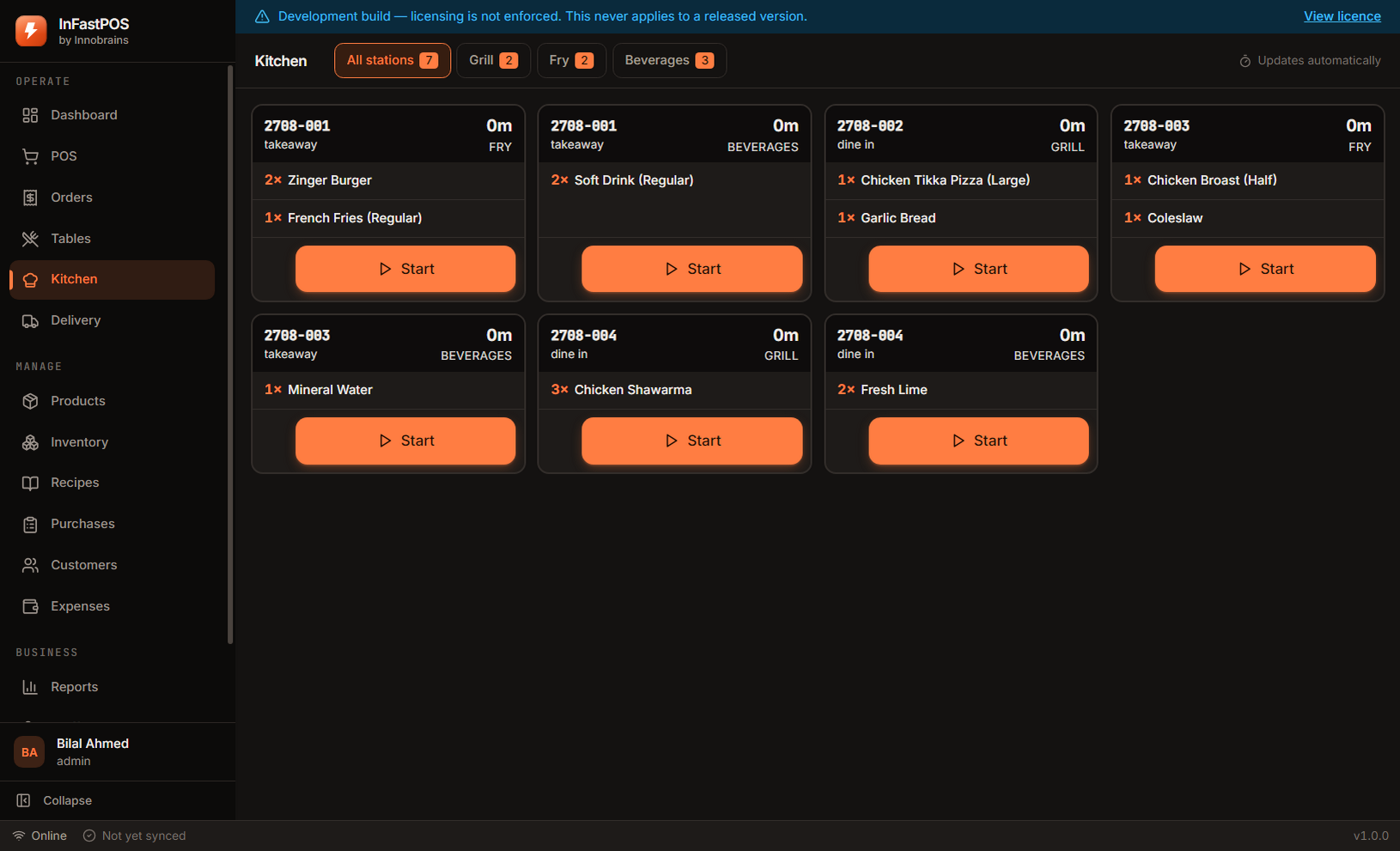
Tickets routed to the grill, fry or drinks station that has to cook them. No paper, no shouting, and a timer on every order.
Link a dish to its ingredients and see what it truly costs. Selling it deducts stock automatically, at the recipe version that was live at the time.
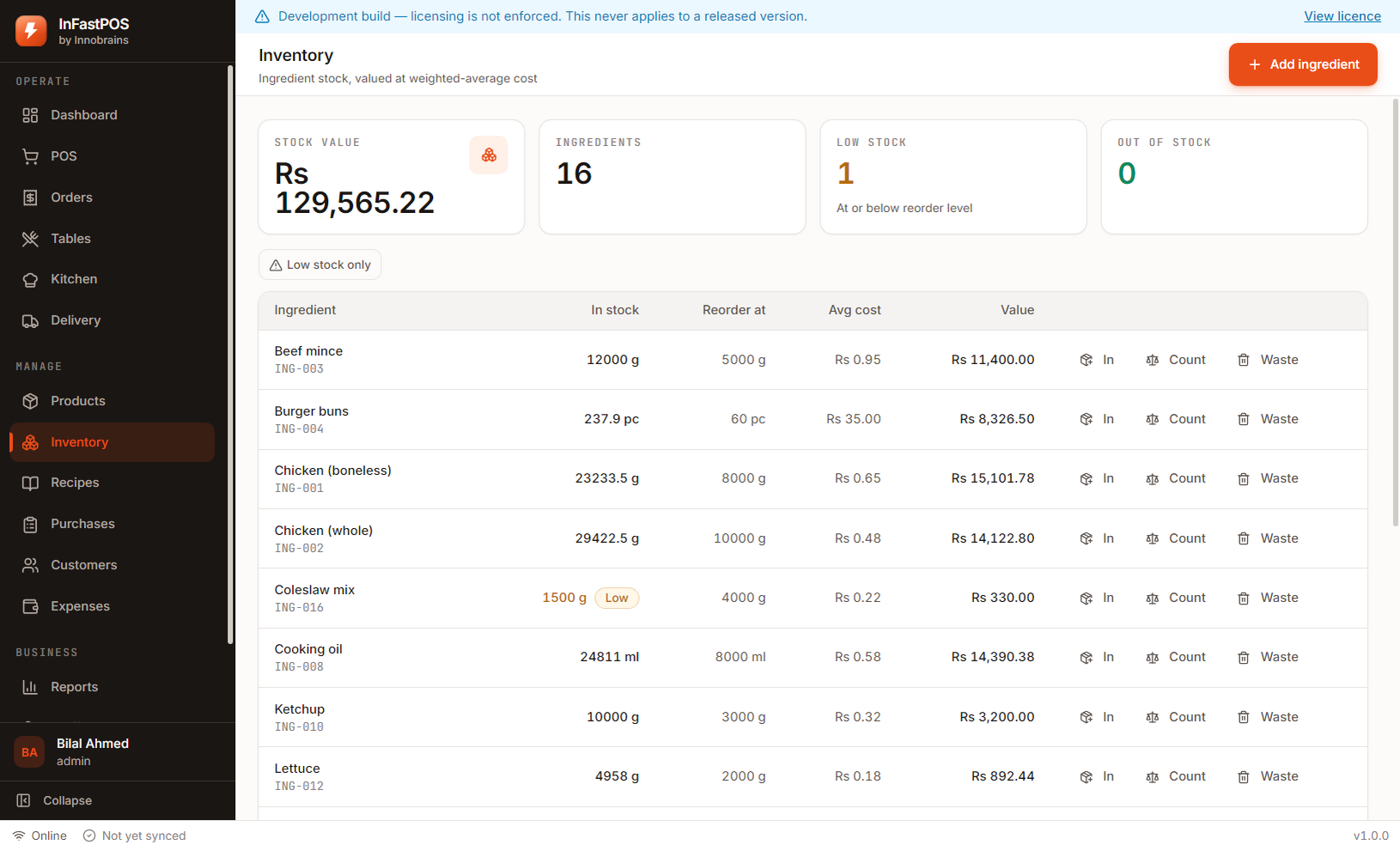
An append-only stock ledger, not a number someone overwrites. Every movement has a reason, a user and a running balance you can audit.
Zones with their own fee and minimum, riders assigned to orders, and cash-on-delivery reconciled against the rider rather than the till.
Suppliers, invoices and payments. Receiving a purchase updates stock and your average cost, so food-cost figures follow real prices.
Open a till with a float, record what goes in and out, and close it against a counted total. Variance is shown, never quietly absorbed.
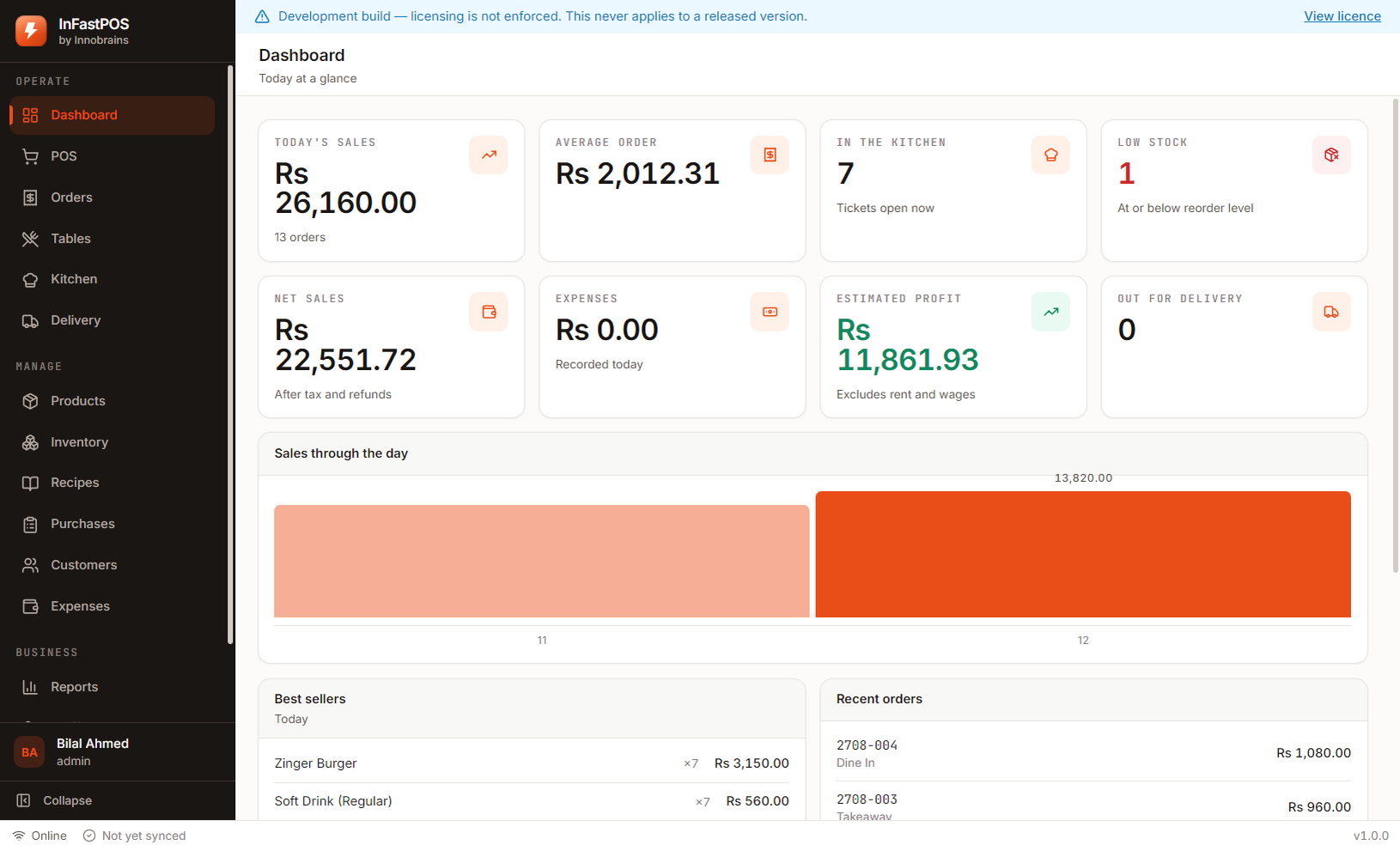
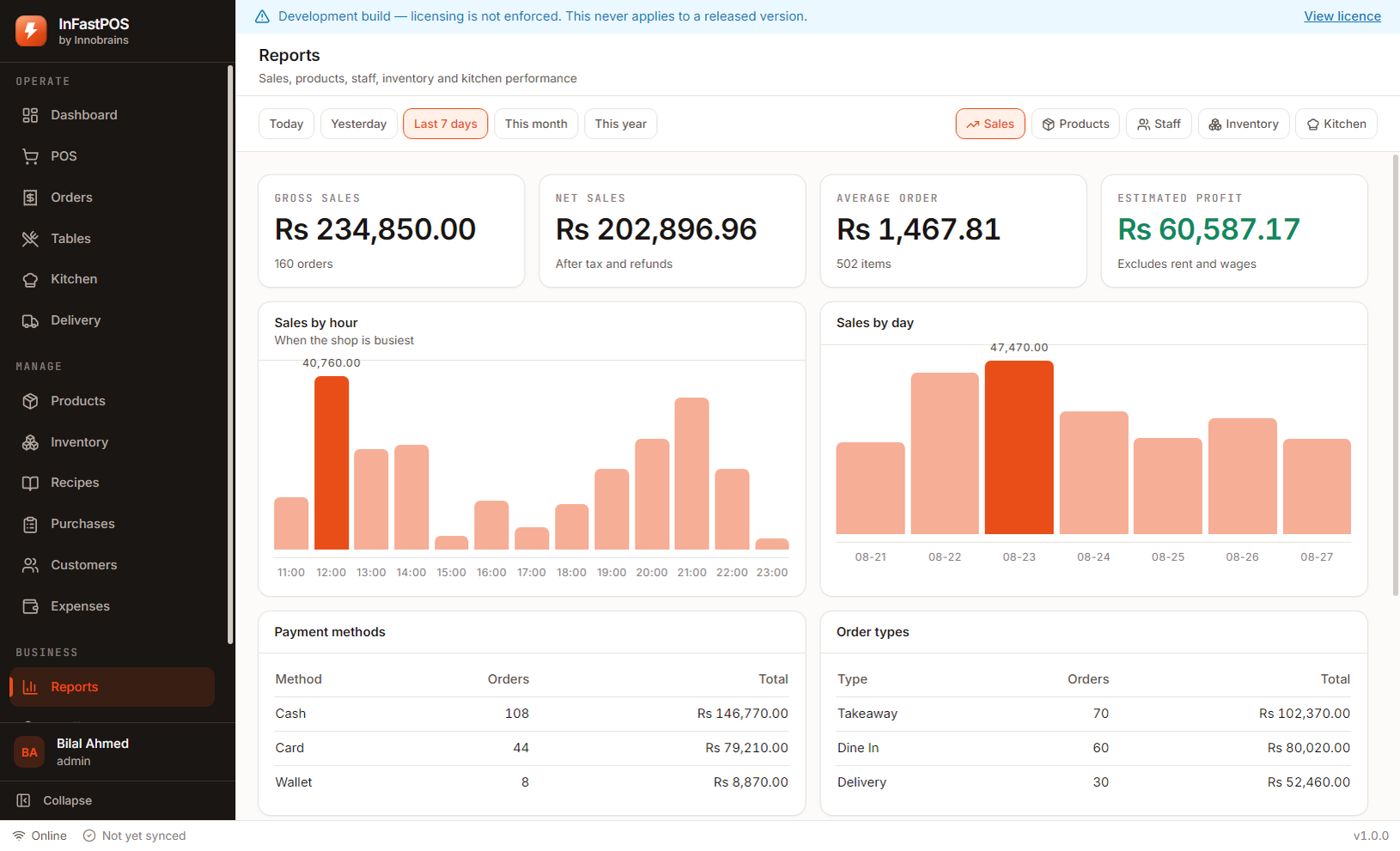
Sales by hour, day, product, staff and payment method. Food cost, gross profit and what is sitting below its reorder level.
Automatic rotating backups, verified before a restore is allowed, applied on the next launch so a file that is in use is never overwritten.
These are captures of the running product with sample data loaded — not mock-ups, and not a designer’s impression of what it might look like.
Download and run the installer on the shop computer. Windows 10 or 11, 64-bit. No server to set up.
Business name, branch, currency and your first administrator. Two screens, about a minute.
Enter your items, or load the sample shop first to try the whole product with realistic figures, then clear it in one click.
Open a till with its float and take the first order. Add recipes and suppliers later, once trading is settled.
Variants, add-ons and combos on a grid, with the kitchen ticket split between the grill and the oven.
Read more →High-volume takeaway billing where the whole transaction has to be four taps or fewer.
Read more →Table service with running bills, plus counter sales, on the same till and the same menu.
Read more →Yes. Billing, the kitchen display, inventory, recipes and reports all run on your own computer and need no connection. The internet is used for three things only: activating your licence once, uploading cloud backups, and downloading updates. If the connection drops mid-shift, the till keeps taking orders and nothing is lost.
InFastPOS takes an automatic backup every few hours and keeps the last fourteen, and you can take a manual backup at any time. Restoring asks you to confirm, takes a snapshot of the current data first, and applies the restore on the next launch before the database is opened — replacing a file that is in use is how a restore corrupts the thing it was meant to recover.
Yes — 15 days of the complete product, no card required and nothing switched off. A crippled trial cannot tell you whether the software suits your shop, which is the only question a trial exists to answer.
Rs 35,000 once, for one computer, with no expiry and no renewal. Cloud backup is a separate Rs 5,000 a year and is entirely optional — if you never buy it, the software keeps working exactly as it does on day one, with automatic backups still running on your own machine.
One payment. Updates and support are included for as long as we publish them, and the licence has no end date. The only recurring charge we offer is cloud backup, and that adds off-site copies rather than switching anything on or off. A lifetime licence with a yearly fee attached to features would not be a lifetime licence, so we do not sell one.
One. A second till, or a second branch, needs its own licence. InFastPOS runs offline with the database on the machine itself, so a licence covers the machine it is installed on.
Install it on the counter, load the sample shop to see every screen with realistic figures, then clear it and enter your own menu. If it does not suit your shop, you have lost an afternoon and nothing else.
Download InFastPOSAlready bought InFastPOS? Sign in to get your licence key and installer.