When the whole transaction has to be four taps
A shawarma counter at nine in the evening is not a place for a considered interface. The order is short, the queue is long, and every second the till costs you is a second nobody gets back.
Best sellers sit first in the grid, quantity is one tap, and a cash sale ends on a single keystroke. A new cashier is productive in a shift rather than a week.
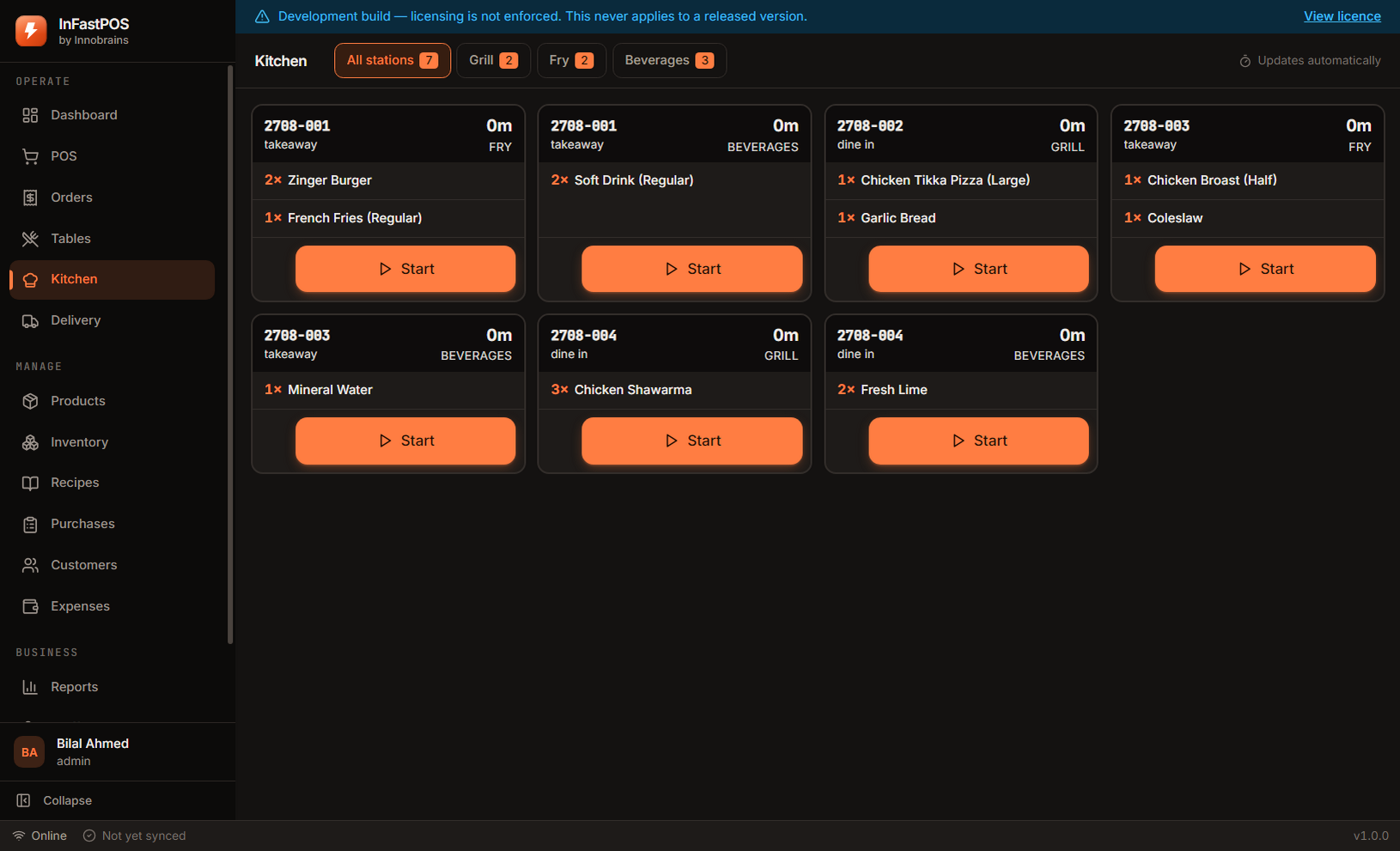
Broast goes to the fryer, shawarma to the grill, drinks to the counter. Each station sees a short list of its own work with a clock on it, instead of one long ticket they all read past.
A quarter broast is 280g of chicken and 50ml of oil. Every sale deducts exactly that, so at close of business the stock figure is a number rather than an opinion.
Open the till with a float, record what goes in and out, count it at close. Any variance is shown plainly rather than quietly absorbed — which is the only way it ever gets investigated.
Where the time actually goes
The parts of a takeaway sale that a till can make faster, and the parts it cannot.
| Finding the item | One tap from the category grid, or two letters into search |
|---|---|
| Quantity | Tap the tile again — no keypad for a second shawarma |
| Add-ons | Only shown for items that have them, so most sales never see the prompt |
| Payment | Cash is one keystroke; tendered notes round to the nearest fifty |
| Receipt | Prints while the kitchen ticket is already on the station screen |
| What the till cannot speed up | Making the shawarma. Everything above just stops the counter being the bottleneck. |
Questions from takeaway counters
Can it run on a touch screen without a keyboard?
Yes. Every action on the sale screen is reachable by touch, and the buttons are sized for a finger rather than a mouse pointer. A keyboard is useful for search but never required.
What if two cashiers work the same counter?
Each signs in with their own PIN, and the staff report then shows takings per person per shift. Switching between them is a four-digit PIN, not a full sign-out.
Does it handle a rush where orders come faster than the kitchen?
The kitchen display keeps every ticket in order with a running clock, so the oldest is always visible. The kitchen report afterwards shows your average and worst preparation times per station.
15 days, the whole product, no card
Install it on the counter, load the sample shop to see every screen with realistic figures, then clear it and enter your own menu. If it does not suit your shop, you have lost an afternoon and nothing else.
Download InFastPOSAlready bought InFastPOS? Sign in to get your licence key and installer.