Delivery & riders
Zones with their own fee, minimum order and expected time. Assign a rider, track through to delivered, and reconcile cash-on-delivery against the rider rather than the till.
InFastPOS is not a retail till with a restaurant skin. Each screen below exists because a counter, a kitchen or an owner needed it — and every one of them works with the connection down.
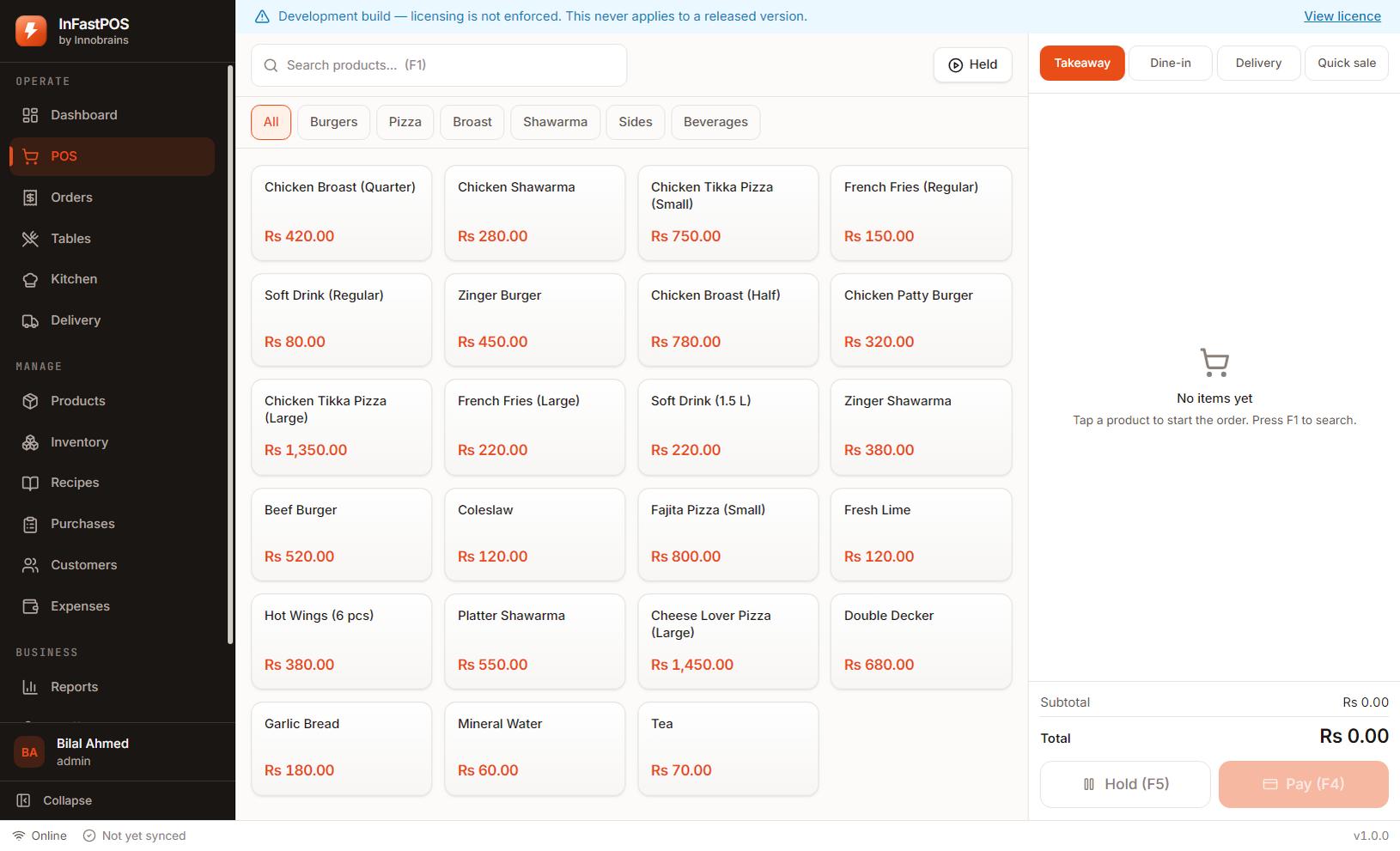
Dine-in, takeaway, delivery and quick sale. The grid, the search and the keyboard shortcuts do not change between them, so a cashier learns one screen rather than four.
Small or large, extra cheese, no onions. Options carry their own price and print on the kitchen ticket, so the line cook sees the request rather than a note someone forgot to relay.
Cash, card, wallet or a mix across one bill. Totals are computed by the same engine that will run at checkout — there is no second calculation in the interface that could drift out of step with it.
A customer who steps away to fetch cash does not block the queue. Park the bill, serve the next person, pick it up again.
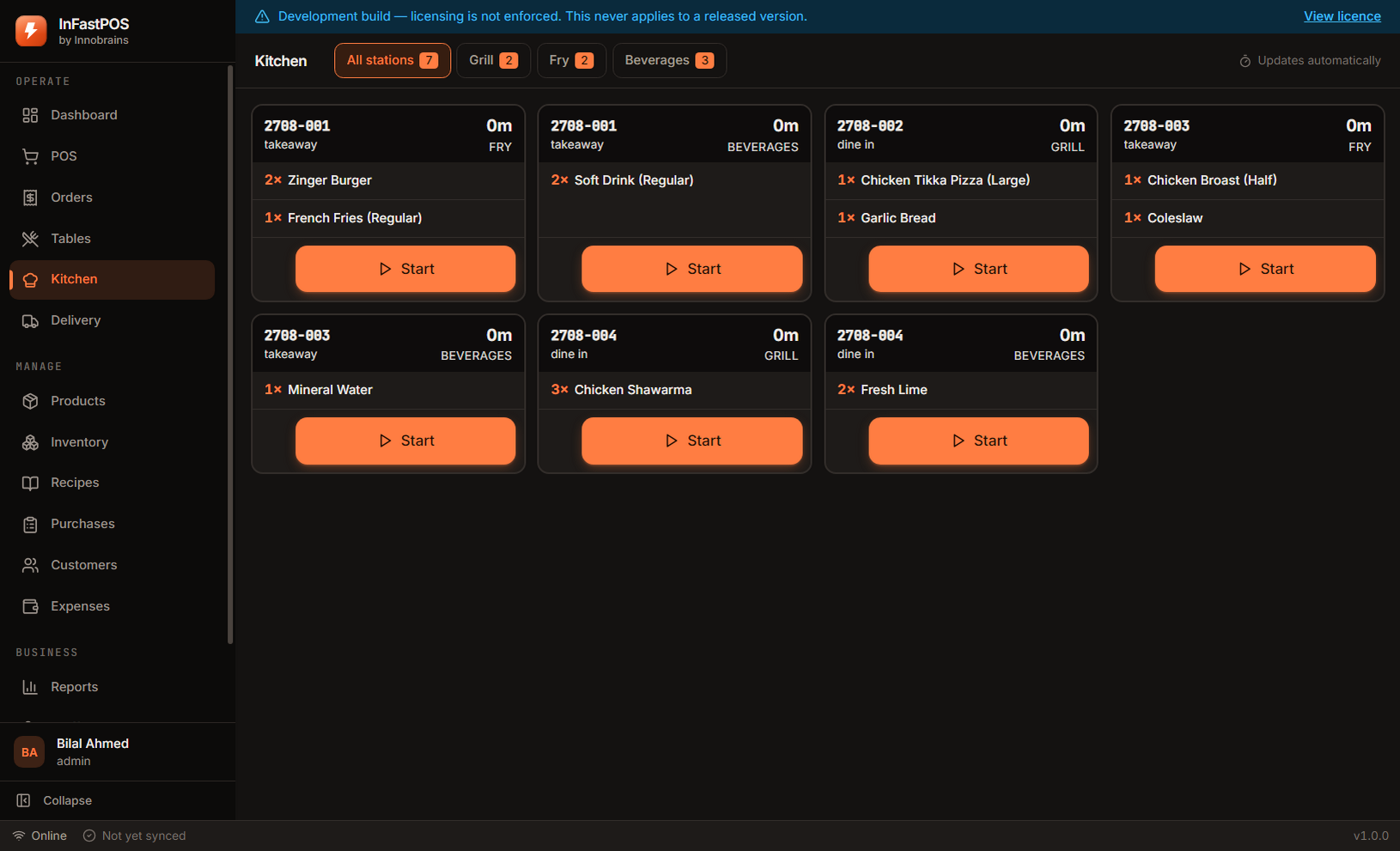
Every product belongs to a station. One order becomes separate tickets for the grill, the fryer and the drinks counter, each showing only its own lines.
Minutes since the order was placed, not since someone remembered to start it. The kitchen report later shows average and worst preparation times per station.
Run the display on a second monitor, print to a thermal printer at each station, or do both while the kitchen gets used to it.
A shop can be busy and still lose money. These are the screens that tell you which it is.
| You enter | 120g chicken, 1 bun, 25g mayo, 20g lettuce, 30ml oil |
|---|---|
| Plus a wastage allowance | 5% on every line, for trim and spillage |
| Costed from | Your real purchase prices, updated when stock is received |
| You see | Food cost per dish, margin, and food cost as a percentage |
| When it sells | Ingredients deduct automatically, at the recipe version live at that moment |
Each order records which recipe version it used. Change a recipe today and last month’s food cost stays exactly as it was — a report that silently rewrites history is worse than no report.
Stock is not a number someone edits. Every purchase, sale, adjustment and wastage is a permanent line with a reason, a user and a running balance, and the level you see is calculated from them.
Record a supplier invoice, receive it, and stock plus average cost both move. Food-cost figures then follow what you actually paid rather than what you typed in once.
A reorder level per ingredient, surfaced on the dashboard and in the inventory report. No guessing at what “low” means for your shop.
Zones with their own fee, minimum order and expected time. Assign a rider, track through to delivered, and reconcile cash-on-delivery against the rider rather than the till.
A floor plan with running bills per table. Merge two tables, transfer a bill, or split one across several payers.
Phone-first lookup, saved addresses per delivery zone, and order history — so a regular does not repeat their address every Friday.
Open with a float, record every movement, close against a counted total. Variance is displayed, never quietly absorbed.
Seven roles out of the box, and permissions per person. A cashier cannot open reports; the kitchen account cannot see takings.
Sales by hour, day, product, staff, payment method and order type. Food cost, gross profit, stock valuation and kitchen timing.
Automatic every few hours, last fourteen kept, verified before any restore is allowed and applied before the database opens.
Checked when you ask, downloaded, and refused outright if the fingerprint does not match what was published.
Who changed a price, voided a sale, or adjusted stock — and when. The questions that only get asked after something goes wrong.
Install it on the counter, load the sample shop to see every screen with realistic figures, then clear it and enter your own menu. If it does not suit your shop, you have lost an afternoon and nothing else.
Download InFastPOSAlready bought InFastPOS? Sign in to get your licence key and installer.