Knowing what is left, and what it cost you
Most shops discover their food cost once a month, by counting the store room and subtracting. By then the month is over and whatever went wrong has already happened four hundred times.
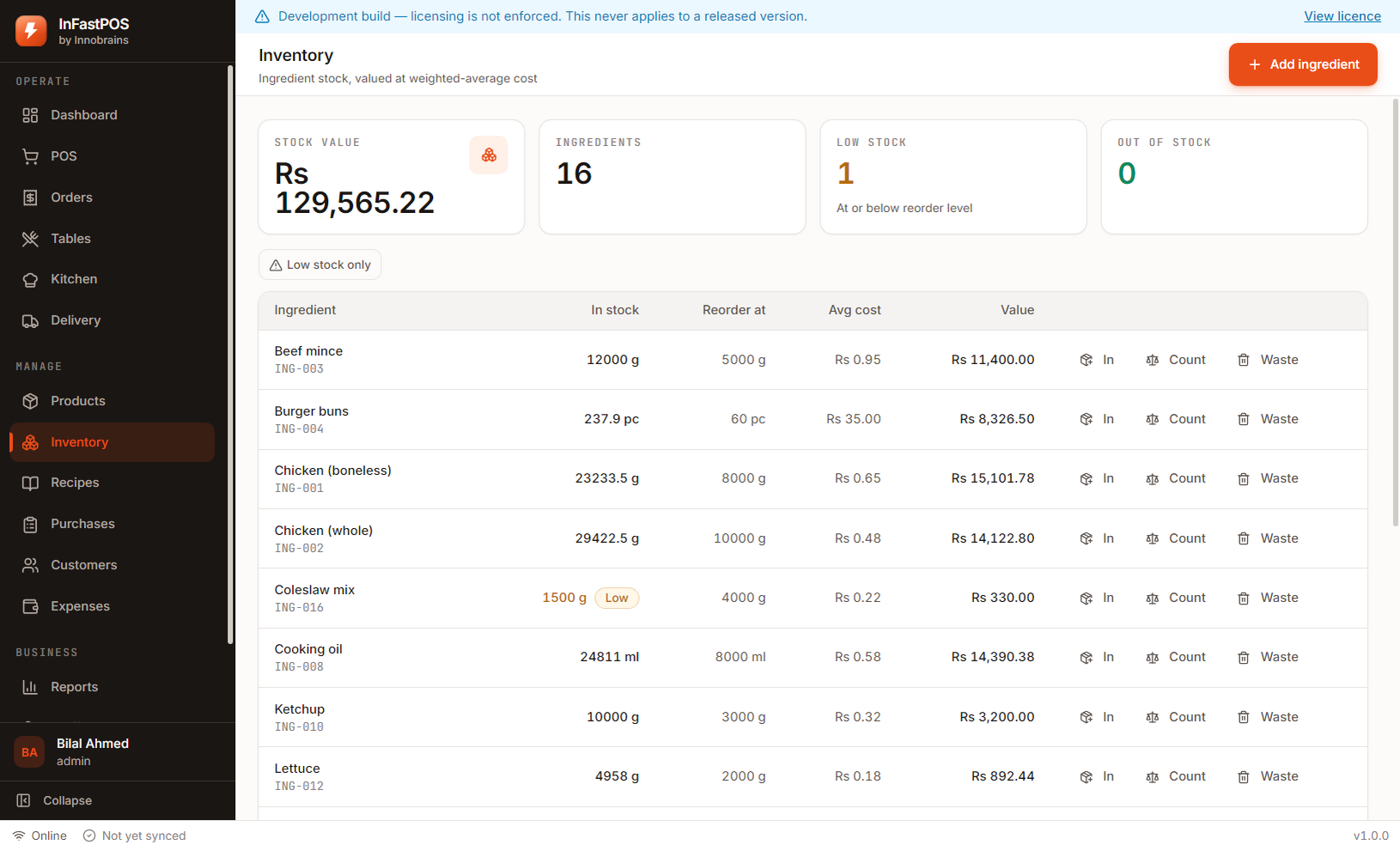
Every purchase, sale, adjustment and wastage is a permanent line carrying a reason, a user and a running balance. The stock level you see is calculated from those lines — so when a figure looks wrong, you can see exactly which movement made it wrong.
Receiving a supplier invoice updates your average cost, and every recipe that uses that ingredient recosts. Food cost then follows real prices instead of a number typed in during setup and never revisited.
Selling a zinger burger removes 120g of chicken, a bun, mayo and oil the moment the order completes. The store room figure is current all day rather than accurate once a month.
Spoilage and trim go in with a reason rather than disappearing into an adjustment. It is the difference between knowing you lost eight kilos of chicken and knowing why.
What the recipe version is for
The detail that decides whether last month’s numbers stay true.
| In March | The zinger recipe uses 120g of chicken. Food cost is calculated from that. |
|---|---|
| Every March sale | Records which recipe version it used, alongside the cost at that moment |
| In April | You change the recipe to 110g. A new version is created; the old one is kept. |
| March’s report | Unchanged. It still costs those sales at 120g, because that is what was sold. |
| Without versioning | Editing a recipe would silently rewrite every past month’s margin |
Questions about stock and recipes
Do I have to enter recipes to use InFastPOS?
No. Recipes are optional, and plenty of shops run for months on billing and reports alone. Without them you lose food-cost figures and automatic deduction, but nothing else stops working.
What if my stock count disagrees with the system?
Record an adjustment with the counted figure and a reason. The difference stays visible in the ledger rather than being erased, which is what makes a pattern of shrinkage findable.
Can one ingredient be used in several recipes?
Yes, and a purchase that changes its cost recosts every recipe that uses it. That is usually the fastest way to see which dishes a supplier price rise actually hurt.
15 days, the whole product, no card
Install it on the counter, load the sample shop to see every screen with realistic figures, then clear it and enter your own menu. If it does not suit your shop, you have lost an afternoon and nothing else.
Download InFastPOSAlready bought InFastPOS? Sign in to get your licence key and installer.